A complete step-by-step guide to filing your TDS return online in India, updated for TRACES 2.0 and the Income-tax Act, 2025. Covers the new return forms (138, 140, 144, 141), due dates, TRACES correction filing, late fee under Section 234E, penalty under Section 271H, and how the old forms 24Q/26Q/27Q map to the new system.
What changed from 1 April 2026: The Income-tax Act, 2025 replaced the 1961 Act, and the department launched TRACES 2.0. TDS return forms were renumbered: Form 24Q is now Form 138, Form 26Q is now Form 140, Form 27Q is now Form 144, and the property/rent/contractor challan-cum-statement is now Form 141. The old forms remain valid only for statements relating to transactions up to 31 March 2026. This guide reflects the current, post-transition process. Because form numbers are still settling across advisory content, always cross-check the exact form name shown on your TRACES 2.0 dashboard before filing.
If you deduct tax at source, filing a TDS return is not optional. Every deductor, whether a business, an employer, or an individual required to deduct tax, must report those deductions to the Income Tax Department every quarter. Missing it brings a daily fee and, in serious cases, a penalty.
This guide walks you through what a TDS return is, which form applies to you under the current rules, what you need before you start, and the exact steps to prepare and upload your return online through TRACES 2.0. It also covers common mistakes and how to correct a return once it is filed.
Quick Answer: You file a TDS return by preparing a statement with deductor, challan, and deductee-wise details in the correct current-year form, validating it, and uploading it on TRACES 2.0 using your TAN and a valid DSC or EVC.
What Is a TDS Return
A TDS return is a quarterly statement that a deductor files with the Income Tax Department. It lists every payment made during the quarter on which tax was deducted, the PAN of each deductee, the amount deducted, and the amount deposited to the government. The department uses this data to credit TDS to each deductee’s Form 26AS and Annual Information Statement.
Filing the return is separate from depositing the tax. You first deposit deducted tax using Challan ITNS 281 each month. The quarterly return then reports all those challans along with deductee-wise details.
Key Takeaway: A TDS return is not the same as a TDS certificate. The return is filed by the deductor with the department. The certificate, now Form 130 for salary (the renumbered Form 16) or the equivalent non-salary certificate, is generated from TRACES afterward and given to the deductee as proof of deduction.
Who Needs to File a TDS Return
Any person or entity that deducts tax at source under the Income-tax Act, 2025 must file a return. This includes companies, partnership firms, proprietors with a tax audit requirement, and individuals or HUFs who deduct TDS on rent, professional fees, or property purchase above the prescribed limits. A valid TAN is mandatory before you can file.
Old Form to New Form: What Changed
| Old Form (up to FY 2025-26) | New Form (FY 2026-27 onward) | Covers |
|---|---|---|
| Form 24Q | Form 138 | TDS on salary, pension, and specified senior citizen income |
| Form 26Q | Form 140 | TDS on non-salary resident payments: rent, commission, professional fees, interest |
| Form 27Q | Form 144 | TDS on payments to non-residents |
| Form 27EQ | Form 143 | TCS statement |
| Forms 26QB / 26QC / 26QD | Form 141 | Property, rent, and contractor payments by individuals (challan-cum-statement) |
Which Form Applies to You
Special Case: Property, Rent, and Contractor Payments (Form 141)
If you are an individual buying a property above Rs 50 lakh, paying rent above Rs 50,000 a month, or paying a resident contractor or professional above Rs 50 lakh, you do not need a TAN or a quarterly statement. These deductions now use a single consolidated challan-cum-statement, Form 141, filed directly on the income tax e-filing portal using your PAN, within 30 days from the end of the month in which TDS is deducted.
Note: Statements relating to transactions completed before 1 April 2026 continue to use the old form (24Q, 26Q, 27Q, 26QB, 26QC, or 26QD), even if you are filing them belatedly or revising them today. The new form applies only to transactions from FY 2026-27 onward.
Due Dates for TDS Return Filing
Important Note: The quarterly pattern of 31 July, 31 October, 31 January, and 31 May continues under the new Act for Forms 138, 140, and 144. Due dates can still shift if the government issues an extension, so always confirm the current deadline on TRACES 2.0 or the income tax e-filing portal before you file.
Before You Start: What You Need
Keep these ready before you begin the filing process.
- A valid and active TAN registered on TRACES 2.0
- Challan details for every TDS deposit made during the quarter (BSR code, challan number, date, amount)
- PAN of every deductee whose tax was deducted
- Deductee-wise payment and deduction figures, mapped to the new payment codes where applicable
- A Class 2 or Class 3 Digital Signature Certificate, or your TAN registered for Aadhaar-based EVC
- The latest return preparation utility for the applicable form, downloaded from TRACES 2.0 or the income tax department’s utility page
Step-by-Step Process to File TDS Return Online
Log In or Register on TRACES 2.0
Log in to TRACES 2.0 using your TAN and password, and set up two-factor authentication if prompted. If you already filed under the old portal, your TAN carries over automatically; the old TRACES URL now redirects to the new portal. First-time filers should complete TAN registration and DSC registration before proceeding.
Download or Access the Preparation Utility
Download the latest return preparation utility for the form you need, or use the online preparation option on TRACES 2.0 where available. Confirm the version supports the current form (138, 140, or 144) before you start entering data.
Prepare the Statement
Choose the correct form type for the quarter you are filing. Enter deductor details including TAN, PAN, name, and address. Enter every challan used to deposit TDS for the quarter, then enter deductee-wise details linking each payment to the correct challan and payment code.
Tip: Match challan amounts against the OLTAS challan status on TRACES 2.0 before entering them, so the statement does not throw a mismatch error later.
Validate the File
Validate the prepared file using the File Validation Utility or the portal’s built-in real-time validation. The system checks structure, PAN format, and challan details, and flags errors immediately. Correct every error and revalidate until you get a clean, error-free file along with the auto-generated control summary.
Review the Control Summary
The utility generates a control summary of your return, the equivalent of the earlier Form 27A. Review it, verify the totals against your records, and retain a signed or digitally acknowledged copy as a control document.
Upload and Authenticate the Return
Log in to TRACES 2.0 or the income tax e-filing portal using your TAN credentials. Navigate to the return upload section, select the correct form, tax year, and quarter, then upload the validated file. Authenticate the submission using your registered DSC or Aadhaar-based EVC.
Download the Acknowledgement
Once accepted, the portal generates a token number and an acknowledgement. Save this for your records. Real-time dashboards on TRACES 2.0 let you track processing status faster than before.
Want to estimate TDS on a specific payment before you deduct it? Use the free TDS calculator to check the exact deduction amount.
Try the TDS CalculatorCommon Mistakes to Avoid
- Filing a current-quarter statement using an old form name (24Q/26Q instead of 138/140), which the portal rejects
- Entering an incorrect or inactive PAN for a deductee, which blocks TDS credit
- Mismatched challan amounts between the return and OLTAS records
- Quoting an old section number, such as 194C or 194J, on a return for transactions after 1 April 2026 instead of the new payment code
- Missing the due date, which triggers a daily fee even for a nil-tax-liability return
- Forgetting to file a nil statement when required, even when no tax was deducted in a quarter
Late Filing Fee and Penalty
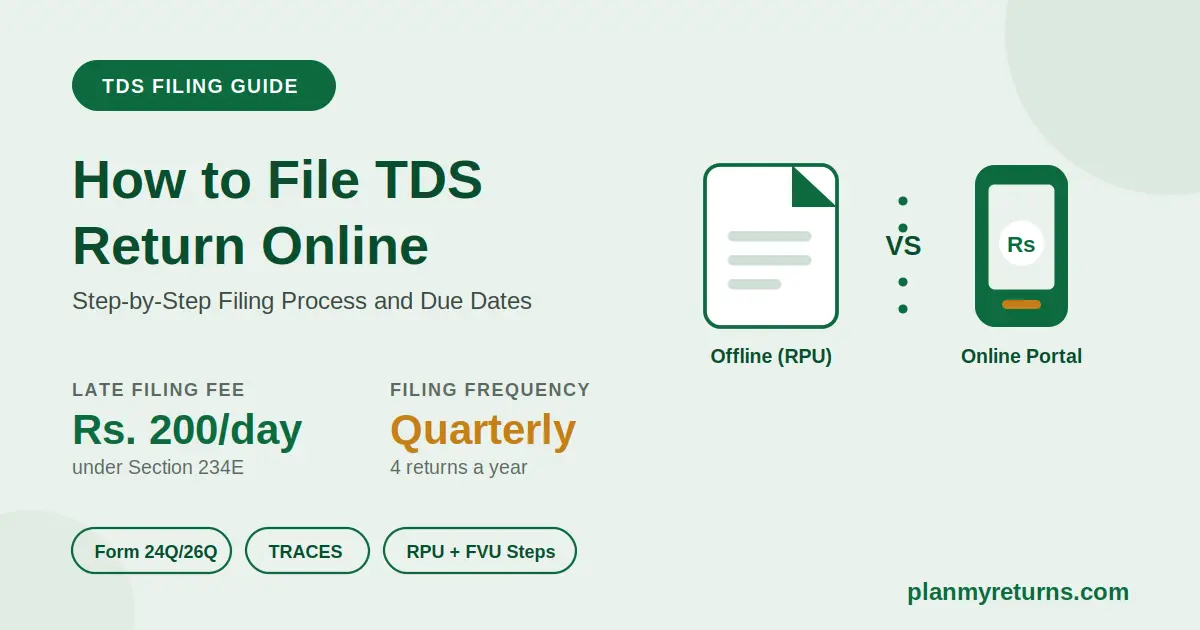
Section 234E charges a fee of ₹200 per day of delay, continuing until the fee equals the total TDS amount in the return. This is a fee, not a penalty, and it applies automatically without any notice.
A separate penalty of ₹10,000 to ₹1,00,000 continues to apply under the corresponding provision for filing an incorrect return or not filing one within the prescribed period. This penalty is discretionary and applies on top of the daily late fee.
Expert Tip: Do not confuse the daily late filing fee with interest on late deposit. The fee applies for filing the return late. Interest applies separately, at 1% a month for late deduction or 1.5% a month for late deposit of the tax already deducted. Both can apply on the same default.
Decision Checklist Before You File
- Confirm you have the correct current form for the payment type: 138 for salary, 140 for other resident payments, 144 for NRI payments, 143 for TCS
- Confirm whether the transaction falls before or after 1 April 2026, since that decides whether the old or new form applies
- Confirm every challan is matched and unconsumed balance is checked on TRACES 2.0
- Confirm every deductee PAN is valid and active, not just present
- Confirm your DSC is valid and not expired, or that Aadhaar-EVC is active for your TAN
- If the payment involves property, rent, or a resident contractor above the threshold as an individual, confirm you actually need Form 141 instead of a TAN-based quarterly return
How to File a Correction Return
If you spot an error after filing, such as a wrong PAN, wrong challan, or wrong amount, you file a correction statement rather than a fresh return. Log in to TRACES 2.0, request the consolidated file for the relevant quarter, make the correction using the applicable form, validate it, and upload the corrected file the same way as the original return.
Frequently Asked Questions
Conclusion
Filing a TDS return correctly still comes down to the same three things: accurate challan matching, correct PAN entries for every deductee, and filing on time each quarter. What has changed is the form itself, so confirm you are using the current-year form and payment codes before you file. Keep your control summary and acknowledgement for every quarter as a permanent record.
If you handle both TDS deduction and salary payments, check your numbers against the Income Tax Calculator and the HRA Exemption Calculator to make sure deductions align with actual tax liability. If you pay advance tax alongside TDS, the Advance Tax Calculator can help you check your remaining liability for the year.